Real estate feature sheets, ready for the print shop.
Upload a listing’s photos once, pick a template, and the studio fills the sheet in: the photos, the price, the facts, your details and your brokerage, with a QR code that counts its scans. A 300 DPI letter PDF with bleed, with a back page when the listing has a floor plan or enough photos. Made for BC, Alberta and Ontario agents, and your first one is free.
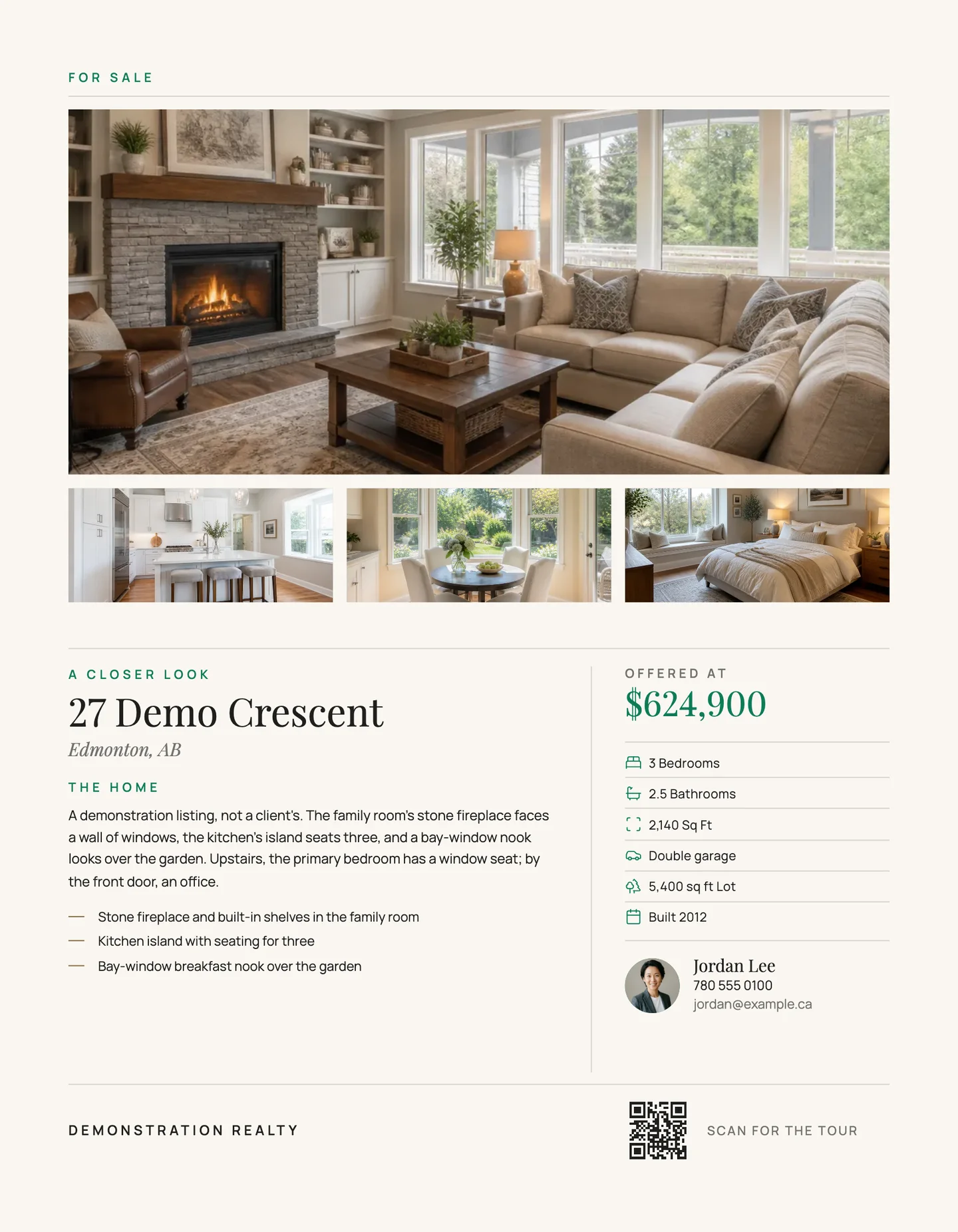
Brochure · front
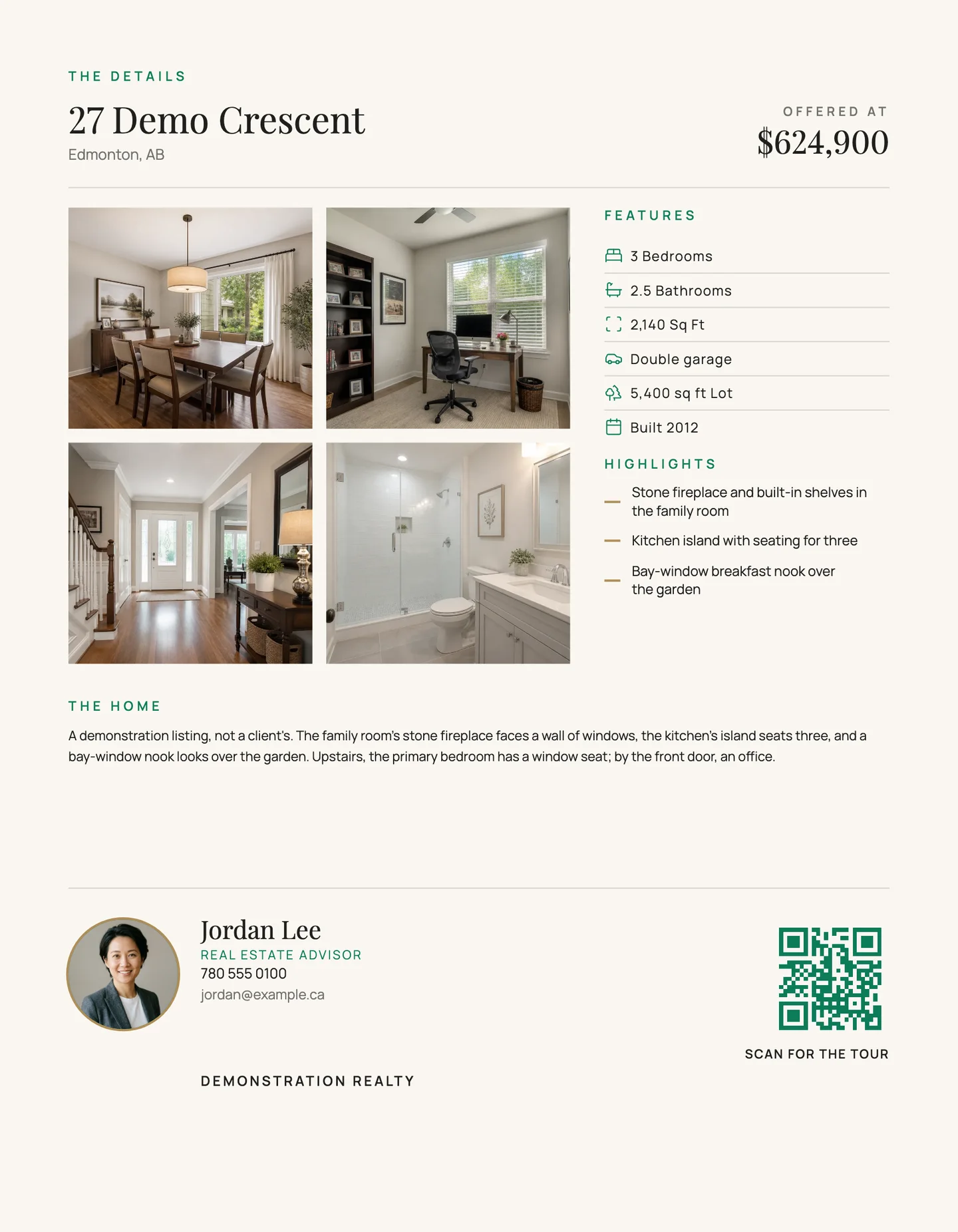
Brochure · back
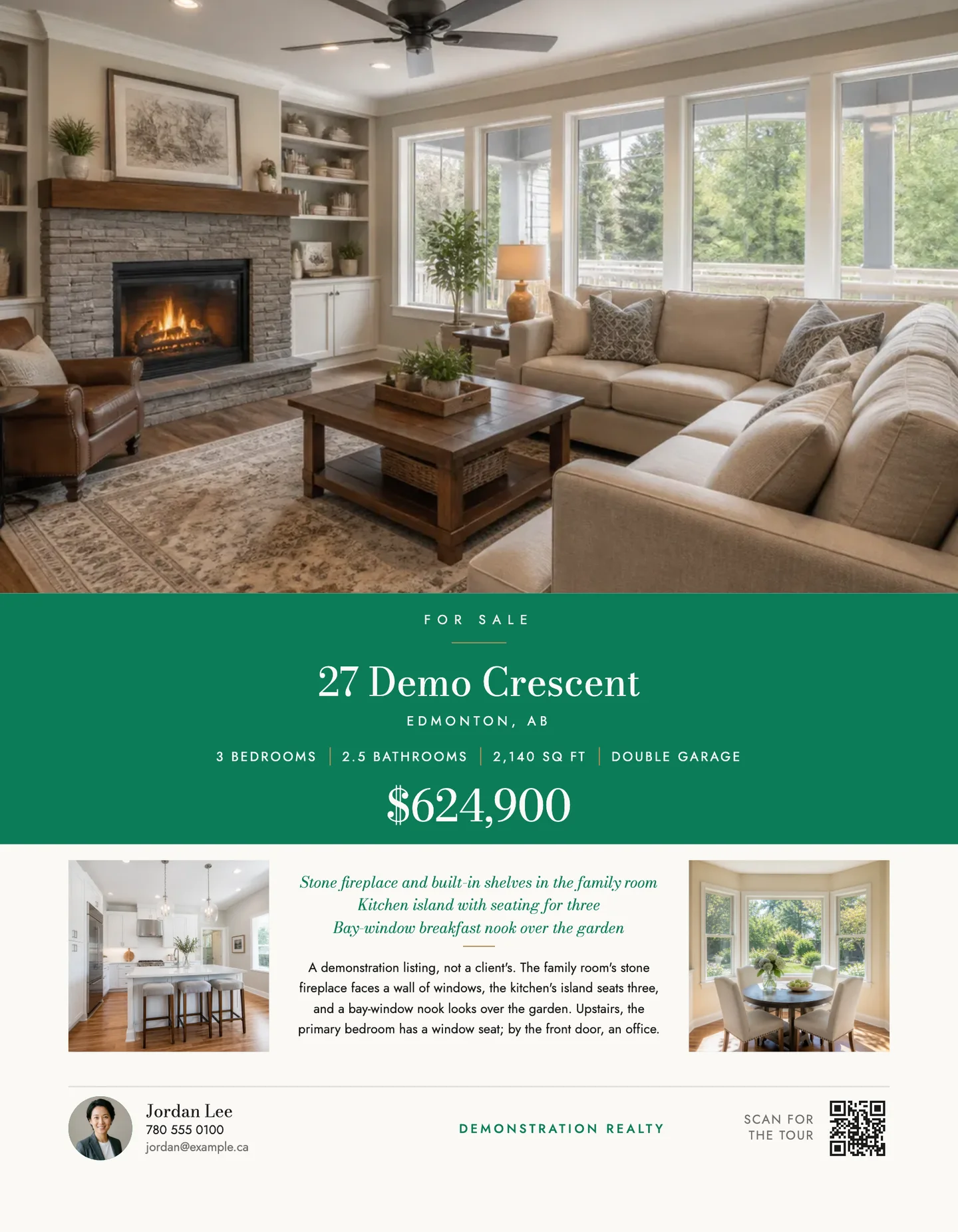
One feature sheet, front and back, drawn from a demonstration delivery by the renderer the download uses, at 200 DPI. Generated rooms and an invented agent, not a client’s listing.
What goes on a feature sheet.
A feature sheet is the page a buyer takes home from the showing: the photos, the price, the facts and who to call. The studio fills each part from the listing and your profile. For staged photos, see virtual staging in BC, Alberta and Ontario.
- The photos. The cover on the front, with up to four rooms beside it. A back page hangs four more, or the floor plan when the listing has one.
- The address and the price. On every template, and on most the price sits under the words Offered at.
- The facts. Bedrooms, bathrooms, square feet and year built come from the listing. Parking and lot size are typed on the sheet.
- Your words. The description and three highlights come from the listing, where you edit them. Heritage, Cover, Wash and Feature also print a headline: three are suggested, with more when you ask.
- You and your brokerage. Your name and phone number come off your profile with the brokerage's name, which cannot be taken off the page. Your headshot and email print where the template has a place for them, and your logo on Heritage, Cover, Wash, Frame, Banner, Feature and Arch.
- A QR code that counts. It points at your listing page once the page is published, which comes with Solo, and you can point it at any other address. Scans are counted, and the visitor's IP address is never stored, only a salted hash of it.
- The staging line, when a photo is staged. A virtually staged photo keeps its label on paper, and the sheet prints the sentence that says so. Neither can be removed.
Sixteen templates, one listing.
Brochure, Spec, Portfolio and Estate are drawn for the feature sheet alone. Twelve more work for any announcement, so the sheet can match your Just listed post: Heritage, Cover, Wash, Frame, Banner, Feature, Arch, Modern, Script, Mosaic, Minimal and Bold. Each is shown with your own listing before you choose.
Brochure
A magazine page: the cover and three rooms, the story of the home and every fact.
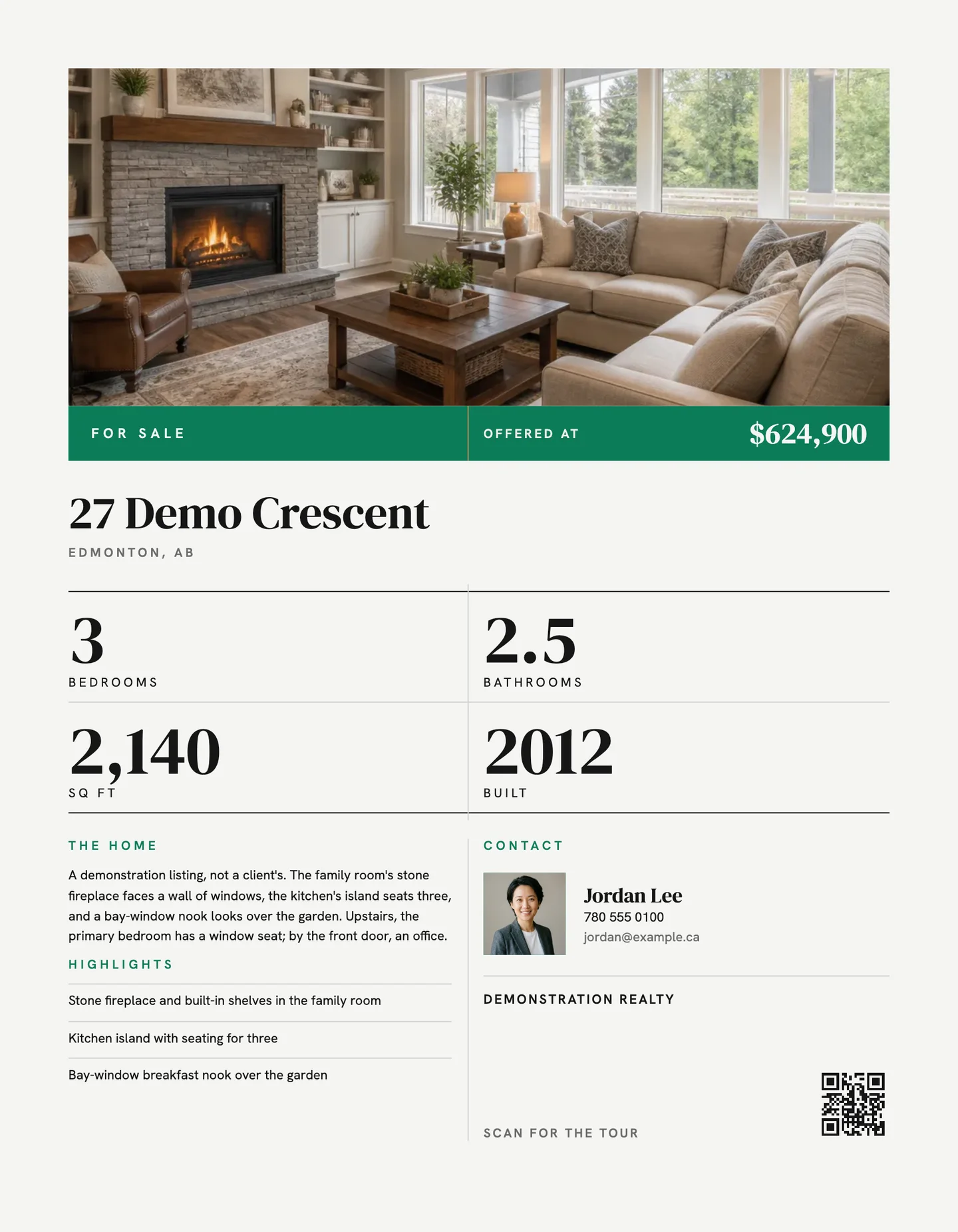
Spec
An architect's data sheet: big numerals in a ruled table under a title block of your colour.
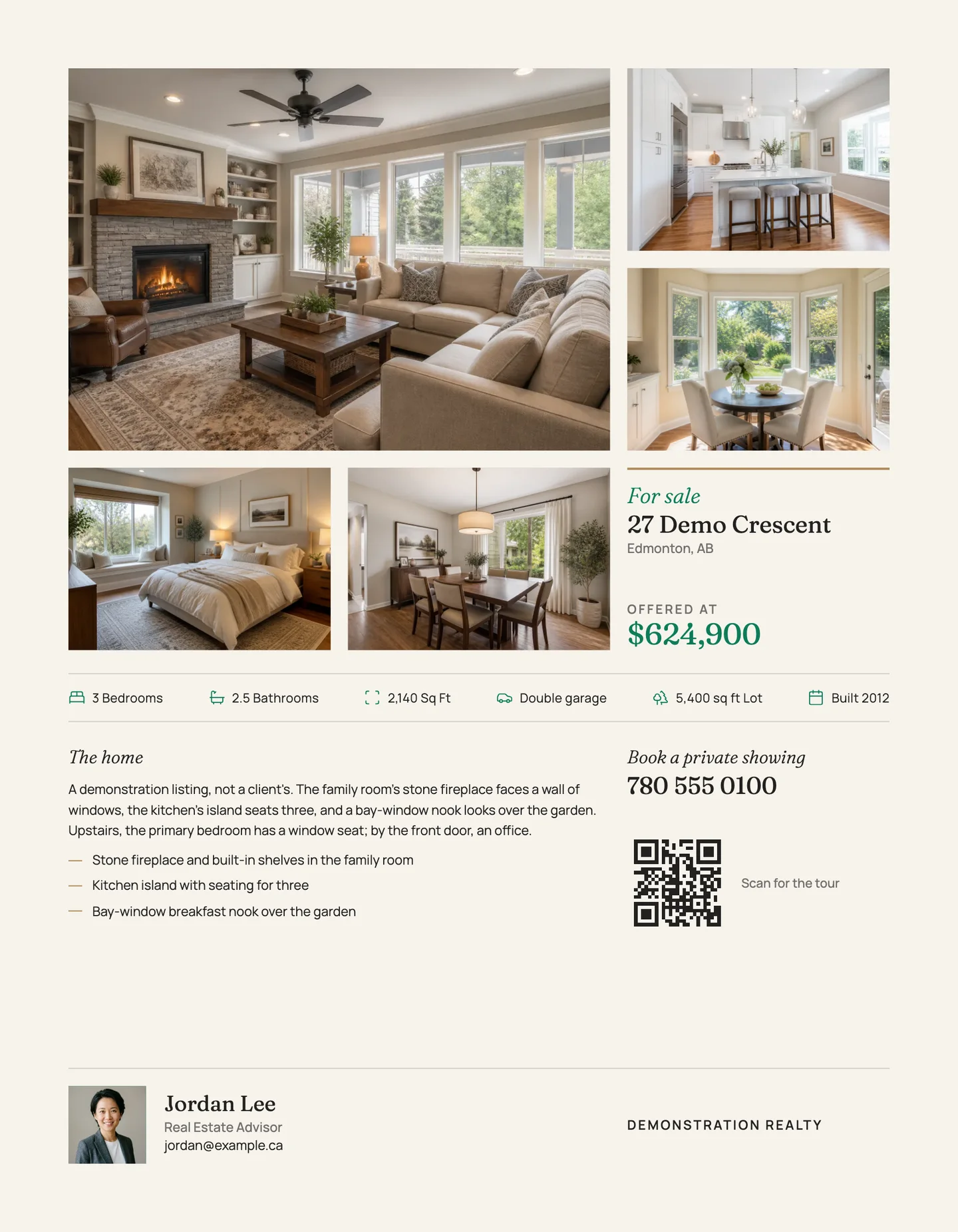
Portfolio
A photo book page: five photos matted on warm paper, a gallery label for the price, the details on ruled lines.
Estate
A centred luxury sheet: the photo over a plaque in your colour, set in Bodoni.
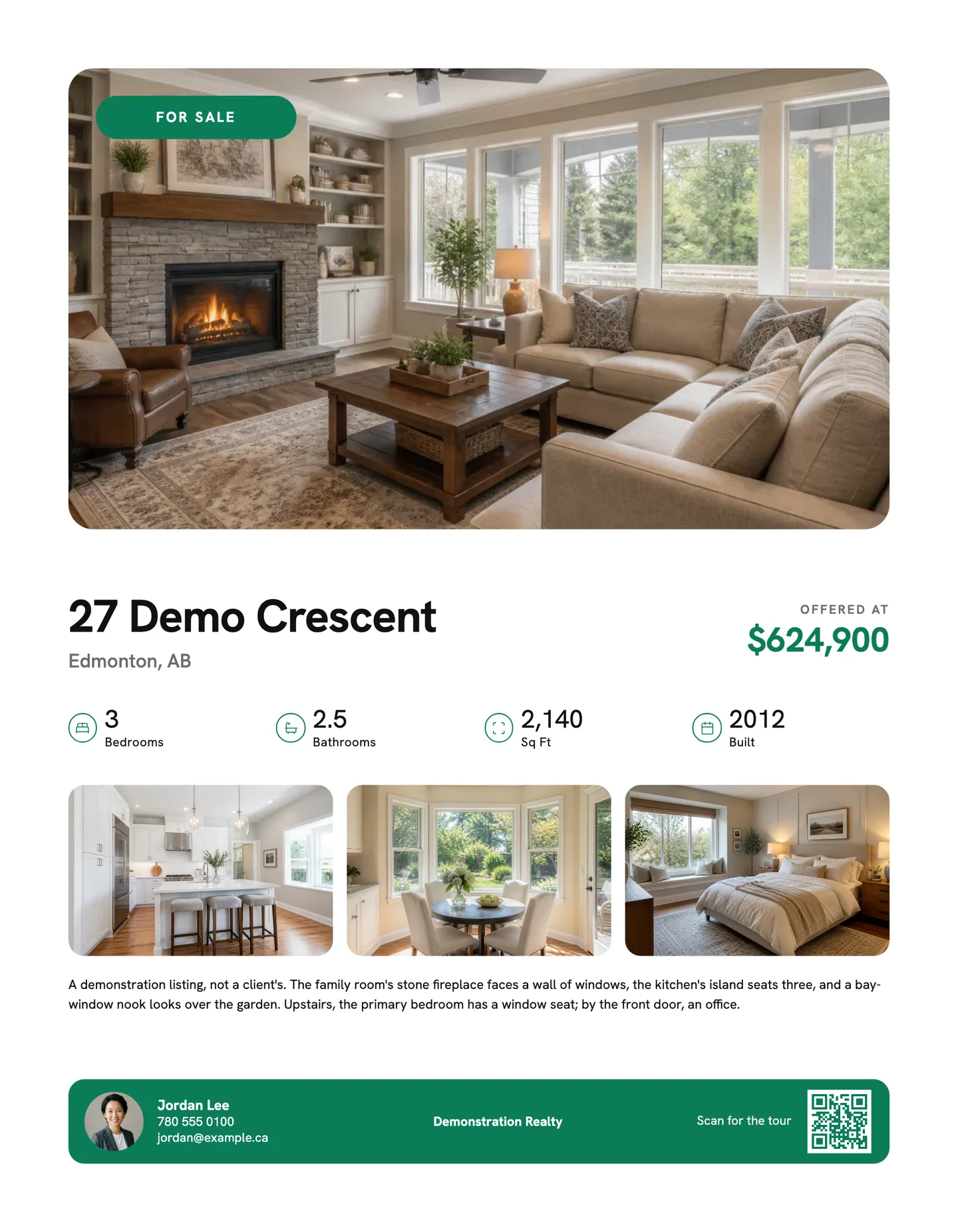
Modern
Free on your first listing
Clean sans, rounded photos and the address set big.
The same demonstration listing on five templates, in one agent’s colours. Yours come off your profile.
The file your print shop asks for.
The studio makes the file. Any print shop prints it, and so does the office printer.
- Letter paper. 8.5 by 11 inches, portrait. A back page comes in the same PDF when the listing has a floor plan, or four photos beyond the front's.
- An eighth of an inch of bleed. On every side, so colour runs to the trimmed edge, and the text keeps half an inch inside it.
- 300 DPI. A PDF of the page as the editor shows it, at the resolution print shops ask for.
- Checked before it downloads. A page that breaks a rule, a missing brokerage name for one, shows the problem and will not download until it is fixed.
- The same design, for posting. A post, a story, a square and a wide image come from the same design, in one ZIP with the PDF.
What a feature sheet costs.
Priced per listing, in Canadian dollars, and the staging, the film and the listing page come in the same price. Tax is added at checkout from your billing address; in Alberta that is GST alone.
- Free$0 to start
- One design on your first listing, in the Modern template, and it can be the feature sheet. With it: 5 staged photos, the reel, the wide cut, the carousel and a draft listing page. No card.
- Listing Pass$59 once
- Every template and 5 designs on one listing for 30 days: the feature sheet, and a flyer and post for each announcement.
- Solo$79 a month
- Two listings a month, every template, 5 designs a listing. Or $790 a year.
- Pro$119 a month
- Six listings a month, and as many designs as you like. Or $1,188 a year.
Before tax. A design is one template for one announcement, in every size. The full price list
Questions
What is a feature sheet in real estate?
A one-page handout for a home that is for sale: the photos, the address, the price, the main facts and how to reach the agent, printed on letter paper and left at the showing or the open house. It is the page a buyer takes home. Elsewhere the same page is called a property flyer or a listing sheet.
What goes on a feature sheet?
On the studio's sheets the front carries the cover photo and up to four rooms, the address, the price, the facts a buyer compares (bedrooms, bathrooms, square feet, year built), the agent and the brokerage, and on most templates a short description. A back page carries the floor plan or four more rooms, the facts, the highlights and up to six lines of the description. A QR code saves the buyer typing an address.
What size is a feature sheet?
Letter: 8.5 by 11 inches, portrait, printed on one side or both. The studio's PDF adds an eighth of an inch of bleed on every side, which the print shop trims off. It does not make an 11 by 17 folded sheet.
Is there a free feature sheet template?
Yes, one. Your first listing is free, with no card, and its one design is set in the Modern template: choose the feature sheet and download the PDF. Every other template comes with a paid plan, from $59 for one listing.
Can I use my own colours, logo and headshot?
Yes. They come off your profile once. Your colour and your brokerage land on every sheet, your headshot on all but one template, and your logo on Heritage, Cover, Wash, Frame, Banner, Feature and Arch. In the editor you can also move, resize, recolour or hide the parts of a page, or add a line of your own. The brokerage's name and the staging line stay where a buyer can read them.
Does the studio print the sheets?
No. It makes the file: a 300 DPI letter PDF with bleed, for a print shop or the office printer. The same design also comes as a post, a story, a square and a wide image for email.
What if some of the photos are virtually staged?
Each staged photo keeps its label on the sheet, and the sheet prints a sentence saying that some photos are virtually staged. Neither can be removed, so the printed page says what the listing says.
How much work is it?
The sheet is filled in as soon as you pick a template: the photos and the facts are already on the listing, and your details on your profile. What is left is choosing which rooms to show, checking the words and downloading the PDF.
What a staged photo has to say, province by province, has a page of its own: virtual staging rules in BC, Alberta and Ontario.
Make the sheet for the listing you are working on
right now.
One free listing, no card. A feature sheet, five staged photos, a reel, a wide cut, a carousel and a draft listing page.